April 1 passes, and with it, the playful pranks and hoaxes of April Fools' Day fade away.
Yet, scammers carry on unbothered.
Spring marks a peak period for cyber attackers. Not because employees become careless, but because the hustle and bustle of the season means many are distracted and hurrying through tasks. This fast pace allows nearly convincing scams to slip through unnoticed, blending seamlessly into ordinary workdays until damage is done.
Here are three sophisticated scams actively targeting sharp, diligent employees just trying to get their work done.
As you explore these examples, ask yourself sincerely: Would my entire team recognize and halt each one?
Scam #1: Fake Toll or Parking Fee Texts
An employee receives a text alert:
"You owe an outstanding toll fee of $6.99. Please pay within 12 hours to avoid penalties."
The message references legitimate toll systems like E-ZPass, SunPass, or FasTrak, matching their location. The small fee is subtle enough to avoid suspicion. Amidst back-to-back meetings, they click the link, pay quickly, and move on.
But the link is fraudulent.
In 2024, the FBI received over 60,000 reports about scam toll texts, with complaints soaring 900% in 2025. Researchers uncovered more than 60,000 deceptive domains designed to mimic state toll authorities, showcasing the vast scale of this profitable scam. Shocking reports reveal victims even in states without toll roads.
The trick lies in the low amount—$6 seems harmless—and the familiarity of recent toll or parking experiences makes the message feel credible.
The safeguard? Genuine toll agencies never demand immediate payment via text links. Smart companies enforce a strict policy: payments must never be made through SMS links. If employees doubt a message's authenticity, they verify by visiting the official website or app directly. Responding to texts—even with "STOP"—is discouraged, as it confirms active numbers and invites more scams.
Convenience tempts; protocol protects.
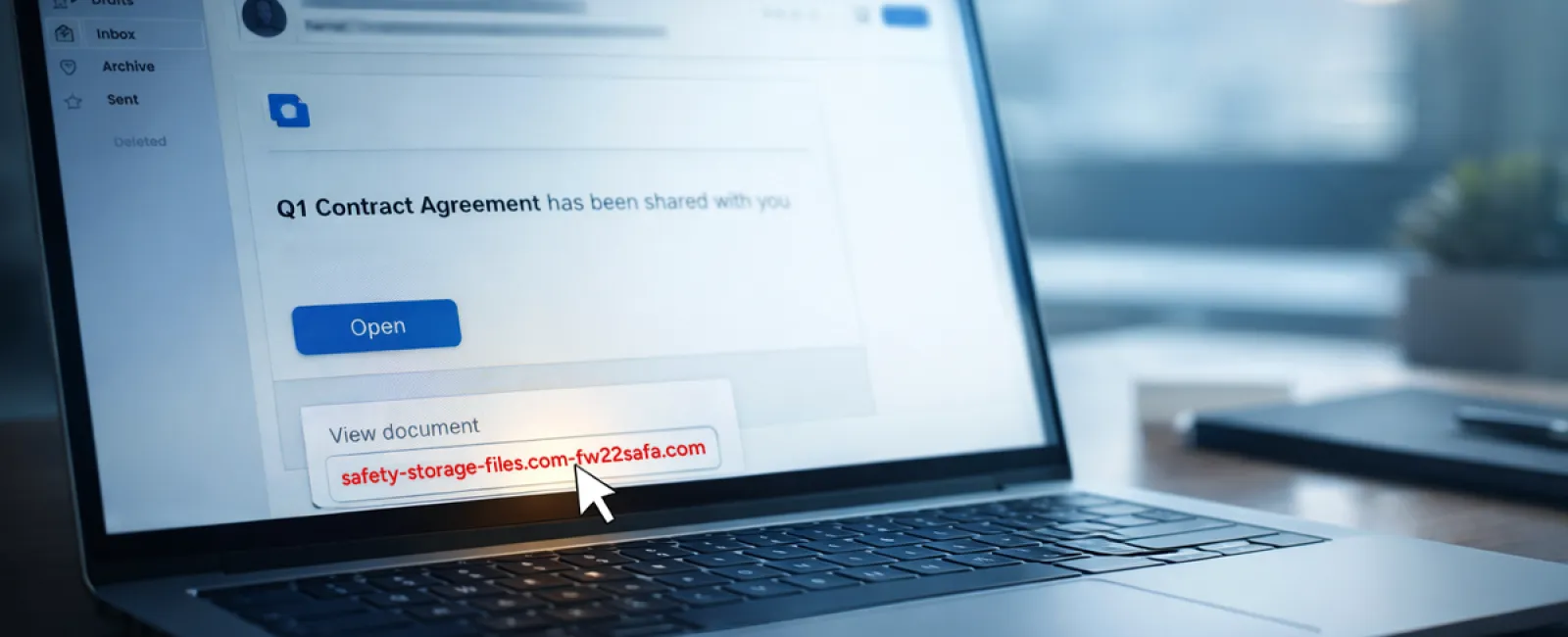
Scam #2: "Your File Is Ready" Phishing Emails
This scam integrates flawlessly with everyday workflow.
Employees receive emails claiming a document was shared—often contracts via DocuSign, spreadsheets through OneDrive, or files on Google Drive.
The sender appears legitimate, and the email formatting matches usual notifications perfectly.
Upon clicking, employees are prompted to log in, unknowingly entering their credentials.
At this point, attackers gain access; if corporate login info is given, they infiltrate your organization's cloud system.
Such attacks surged dramatically—phishing leveraging trusted platforms like Google Drive, DocuSign, Microsoft, and Salesforce jumped 67% in 2025, according to KnowBe4's Threat Labs. Google Slides phishing alone rose over 200% in six months.
Alarmingly, employees are seven times more likely to fall for malicious links from OneDrive or SharePoint notifications because they look authentic.
More sophisticated variants use compromised accounts to share files, so the email is sent from legitimate Google or Microsoft servers. Spam filters often don't catch these, as they are genuine notifications technically.
Preventive measure: Train employees to avoid clicking unexpected shared-file links directly. Instead, they should log in to the platform independently via their browser. Authentic files will appear there. Risk is further reduced by limiting external file-sharing permissions and activating alerts for unusual logins—settings your IT department can configure swiftly.
Simple caution yields strong protection.
Scam #3: Flawless, Deceptive Emails
Gone are the days when phishing emails were easy to detect by grammar errors or odd layouts.
Today, AI-generated phishing messages achieve a startling 54% click rate versus just 12% for human-crafted ones—more than four times as effective, per a 2025 study.
These deceptive emails mimic real companies, job titles, and workflows, scraping details from LinkedIn and official sites instantly.
Targeting is highly precise: HR teams get fake employee verifications; finance sees bogus vendor payment change notices. One test revealed 72% of recipients interacted with vendor impersonation emails—90% higher than other scams. Messages appear calm, legitimate, and mildly urgent, resembling an ordinary workday email.
Effective defense: Always validate requests involving credentials, payment updates, or sensitive data through a second channel—phone, chat, or in-person verification. Before clicking links, employees should hover to inspect sender domains carefully. Urgency itself is a red flag warranting caution.
True security depends on vigilance, not panic.
The Bottom Line
Each of these scams exploits familiarity, authority, timing, and the assumption of a "quick second" to act.
The real threat is not careless staff but systems that expect people to always slow down and make perfect judgments under pressure.
If one hurried click can disrupt operations, the issue lies in flawed processes, not individuals.
Fortunately, process vulnerabilities are solvable.
How We Can Support You
Most business leaders don't want to take on the burden of educating staff about every scam or micromanaging cybersecurity.
They want confidence their company is safeguarded without extra hassle.
If you're worried about your team's exposure—or know someone who should be—we're ready to chat.
Arrange a straightforward discovery call to discuss:
• Current cyber threats businesses like yours face
• Common entry points where risks hide in daily operations
• Practical strategies to reduce vulnerabilities without slowing productivity
No pressure, no hype; just honest conversation to identify risks and explore solutions.
Click here or give us a call at 336-904-2445 to schedule your free 15-Minute Discovery Call.
If this message isn't relevant to you, kindly forward it to someone who'll value the warning. Often, awareness alone can convert a "near miss" into a "blocked attempt."