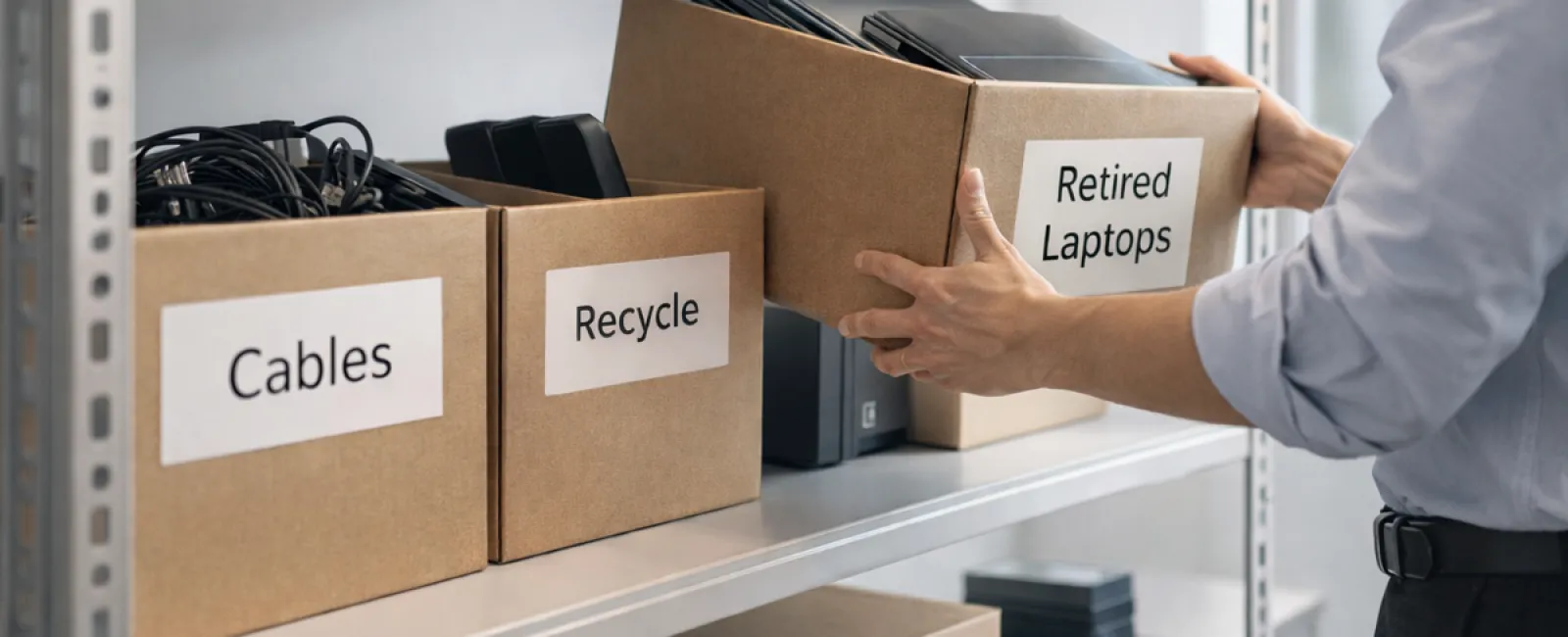
Spring cleaning often starts with closets, but for most businesses, the real clutter goes far beyond just a rack.
It might be on a server rack, sure, but more likely it's gathering dust in a storage room, a back office, or tucked away in a "we'll get to it later" pile.
Old laptops, outdated printers, backup drives from several upgrades ago, boxes of cables kept just in case —
Every company accumulates tech clutter like this.
The real question isn't if you have it, but whether you have a strategy for what to do next.
Technology Has a Lifecycle — Not Merely a Purchase Date
When you acquire new tech, it's usually for a clear reason: enhanced speed, better security, increased capability, or to support growth.
Many companies carefully plan tech purchases but neglect to strategize for retiring it.
Retiring devices often happens quietly — replaced, set aside, then eventually cleared out.
That's typical.
What's rare is applying the same care and planning to technology retirement as to its acquisition.
Old equipment retains value, recyclable materials, and may still store sensitive data. Having unused tech lying around can slow operations and steal attention.
Spring is an ideal moment to pause and ask: Which devices are still useful, and which are just taking up valuable space?
A Clear Plan to Streamline Your Technology
To turn this into action rather than a vague thought, follow our straightforward four-step method.
Step 1: Complete Inventory
Identify precisely what tech you're retiring — laptops, phones, printers, network devices, external drives? You can't manage what you don't know, and an audit often uncovers more than expected.
Step 2: Choose the Right Fate
Each device usually fits into reuse (internal use or donation), recycle (certified e-waste programs), or destruction (for sensitive data). The key: deciding deliberately instead of letting tech linger indefinitely.
Step 3: Prepare Devices Correctly
Discipline here pays off.
If reusing or donating, remove devices from management systems, revoke access, and ensure thorough data wiping—not just a factory reset. Deleting files or quick formats don't erase data; they just remove pointers to it.
Research from Blancco shows 42% of resold drives on eBay still contained sensitive information despite sellers claiming proper wipes. Certified erasure tools overwrite every sector and provide verification reports.
For recycling, use certified e-waste services rather than dumpsters or curbside drops. Note: Best Buy's recycling is for households, not businesses.
Businesses require certified IT asset disposition (ITAD) providers or business-grade e-waste recyclers with e-Stewards or R2 certification (check e-stewards.org or sustainableelectronics.org). Your IT service can usually coordinate this.
If destruction is necessary, use certified wiping or physical destruction methods (shredding or degaussing). Keep detailed records: serial number, method, date, and handler.
This isn't paranoia, it's responsible closure.
Step 4: Document and Proceed
After equipment leaves your premises, you should know its destination, handling method, and that access was removed. Document everything to avoid lingering doubts.
Devices Often Overlooked in Retirement
Laptops usually get noticed. Other devices frequently get neglected.
Phones and tablets may still hold email accounts, contacts, or authentication apps. Factory resets help, but for business gear, a certified mobile wipe is safer. Apple, Samsung, and major brands offer trade-in programs—even for older models—potentially earning credit toward new gear.
Modern printers and copiers often contain hard drives storing copies of all printed, scanned, copied, or faxed documents. When returning leased machines, get written confirmation that the hard drive will be wiped or removed before reuse.
Batteries are classified as hazardous waste by the EPA. In states like California, New York, and Minnesota, businesses cannot legally dispose of rechargeable batteries in regular trash. Safely remove batteries, tape terminals to prevent shorts, and drop them at certified locations. Call2Recycle.org offers location maps. Staples, Home Depot, and Lowe's also accept rechargeable batteries.
External drives and retired servers often linger longer than intended but require the same retirement care as other equipment.
Recycling: A Vital Reminder
Earth Day in April is a timely reminder that electronics shouldn't fill landfills.
Global e-waste exceeds 62 million metric tons yearly, yet only about 22% is recycled properly. Batteries, monitors, and circuit boards belong in certified recycling streams. Most communities offer such options for good reason.
Handled thoughtfully, technology retirement is efficient, eco-friendly, and smart business. You don't have to choose between security and responsibility—it's achievable together.
This responsible practice is also a subtle boost to your company's reputation on social media. Customers notice when businesses do things right, quietly and effectively.
Unlocking Broader Potential
Spring cleaning isn't merely about disposal—it's about creating room to grow.
Clearing out outdated hardware is just one piece. While assessing physical equipment, step up and ask: Is our technology truly supporting our business goals?
Hardware cycles in and out, but today's edge lies in software, systems, automation, and process design that enhance productivity and profits.
Properly retiring old tech keeps the house in order. Ensuring your broader tech ecosystem fits your vision pushes your business forward.
How We Support You
If you already maintain a clear tech retirement process, excellent—it should be straightforward and routine.
While you focus on responsible equipment replacement, consider stepping back to evaluate: Are your systems efficient? Are your tools integrated? Is your technology driving growth or just running basics?
If you want to review how your technology stack, workflows, and systems fuel productivity and profits, we're here to chat.
No sales pitch. No lengthy checklist. Just a down-to-earth conversation on how to make technology work better for your business.
Click here or give us a call at 336-904-2445 to schedule your free 15-Minute Discovery Call.
If this inspired you, please share it with other business leaders.
Don't stop spring cleaning at closets—include the vital systems that power your business.